From any lot to a full report, in minutes
We help keep your data clean, connected, and recall- and audit-ready. Pick any lot and LOT AXIS shows where it came from, where it went and what is still on hand, because every module already recorded it.
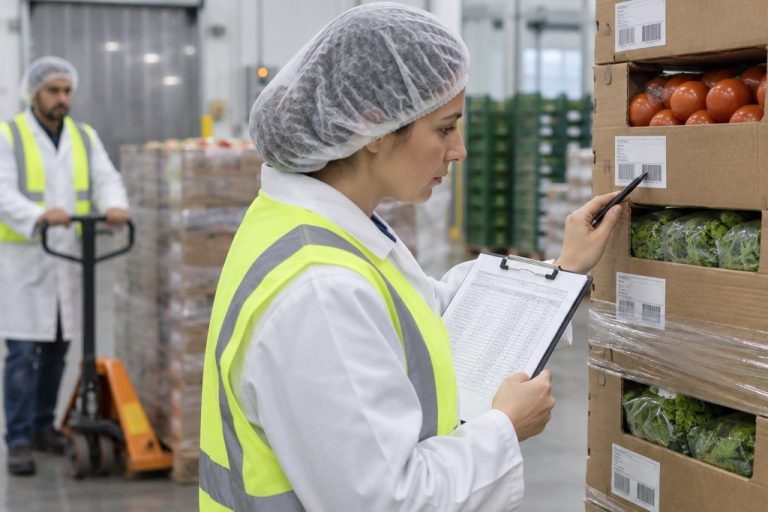
The trace is already built before you need it
A trace only reads back what was recorded. Every module records its part as product moves.
LOT AXIS Production
Labeled at the station
Source lots come in three ways: a work order (production label), individual raw-material boxes scanned in, or complete pallets scanned in. They link to every label printed.
LOT AXIS Logistics
Scanned as it moves
To process raw materials, enter a work order, or scan individual boxes or complete pallets. Load/Unload, Move, Inventory and Palletize update each case's location or order as it is scanned.
LOT AXIS Core
Linked into one history
Core holds the lot genealogy, from inbound lots through processing to finished goods, with quantities in and out at each stage.
Lot Intelligence™
Ready before anyone asks
The same record feeds the Manager KPI Dashboard and reports, so recall exposure is already visible.
Audit trail. Every transaction is date- and time-stamped and tagged with the device it came from. Every change is saved in history. Nothing is ever lost.
Three steps in LOT AXIS Core
- 01
Open Traceability View
In LOT AXIS Core, on the office PC.
- 02
Enter the lot
Any lot in the chain: an inbound lot, a processing lot or a finished goods lot.
- 03
Run the Traceability Report
Back trace to every source lot, forward trace to every customer and what is still on hand. Print it or share it.
What a trace looks like in LOT AXIS
Real LOT AXIS screens and reports, shown with sample data.
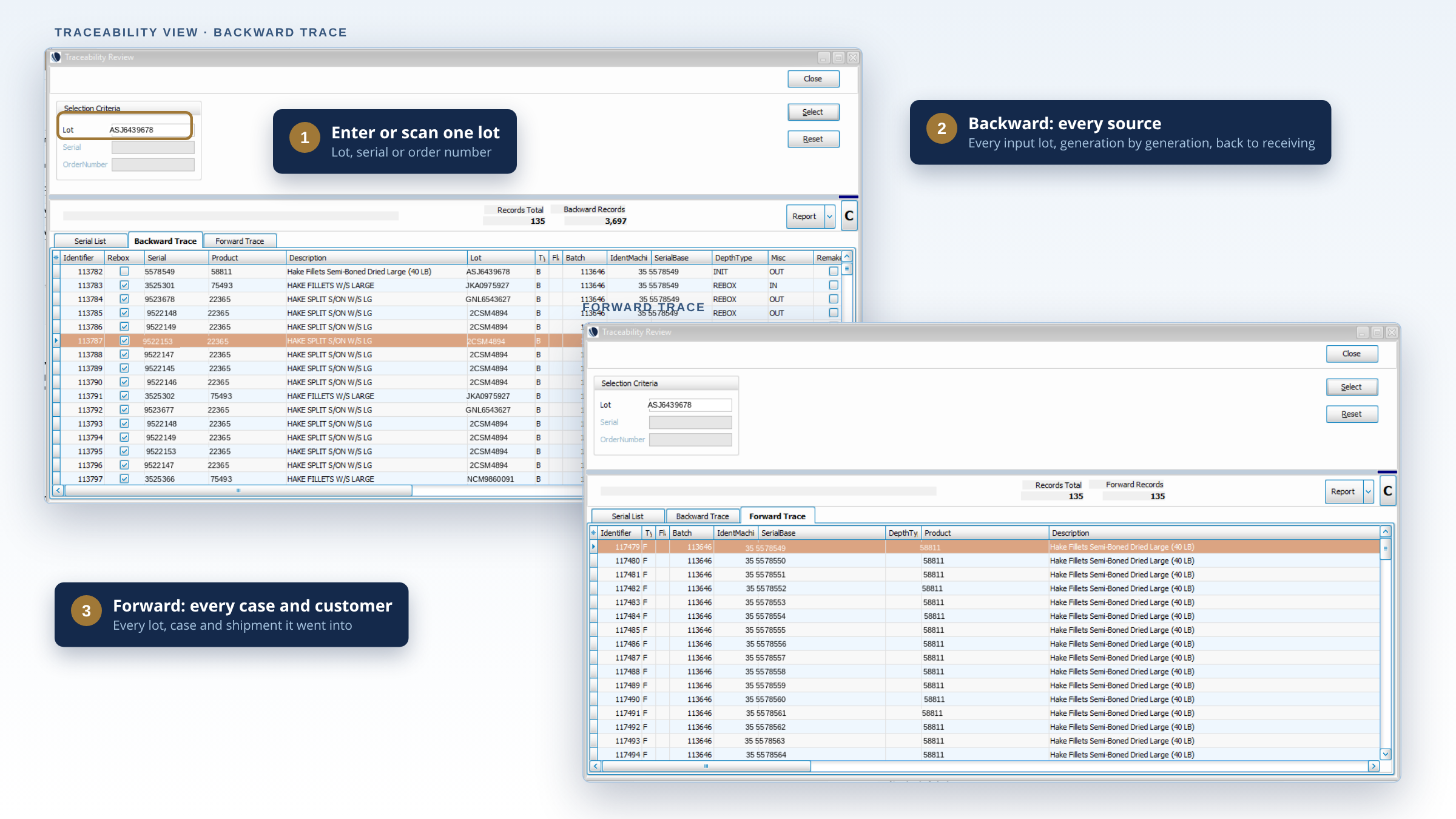
Start from any lot
Enter the lot in Traceability View. Every linked lot is listed, back to the source and forward to the customer, with dates and quantities.
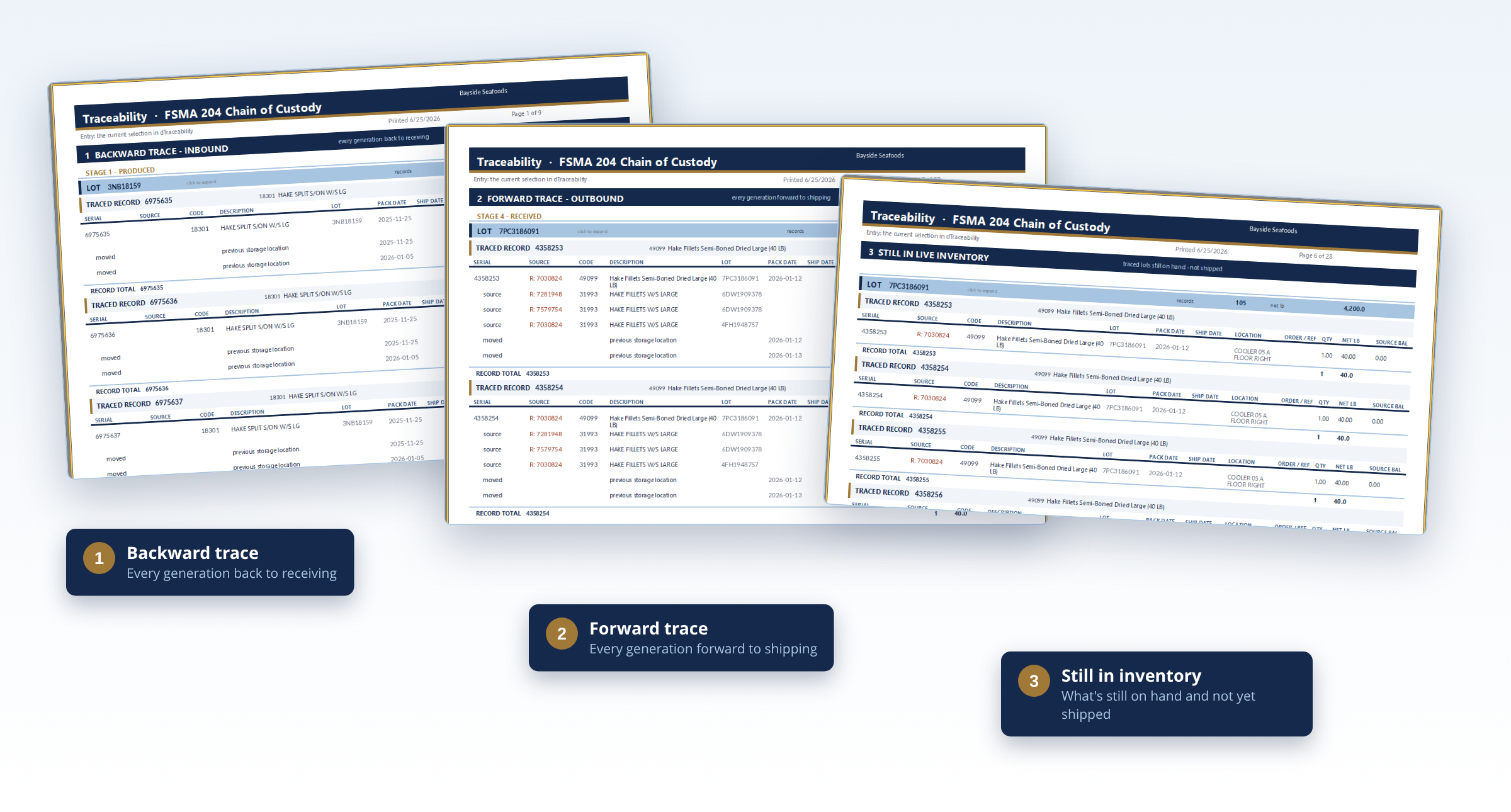
Hand over the record
Print the trace report or share it: every source lot, every customer and what is still on hand.
Common questions about tracing
Where can I start a trace?
From any lot in the chain: an inbound lot, a processing lot or a finished goods lot. Back trace and forward trace come from the same report.
Can I use it for a mock recall?
Yes. Open Traceability View, enter a lot you shipped and run the Traceability Report. You get the customers, quantities and what is still on hand.
What format does the report come in?
A Traceability Report you can print or share. FSMA 204 gives you 24 hours to answer an FDA records request, and the report is ready in minutes.
What if a lot was never scanned?
A trace can only show what was recorded. That is why LOT AXIS captures lots at the station and on the handhelds as product moves, instead of after the fact.
What does a demo look like?
Bring one real lot from your plant. In 30 minutes we follow it through LOT AXIS and show you the trace report that comes out of it.
Go deeper
Plain-English guides from the LOT AXIS Knowledge Center.
Clean, connected, recall- and audit-ready
Bring a lot. We'll trace it. In a 30-minute demo we follow a real lot from your plant back to the source and forward to the customer.