The Software Ecosystem

Label it. Track it. Trace it. Control it.

We help keep your data clean, connected, and recall- and audit-ready. Production creates the lot record, Logistics moves it, and Core holds its history. The result is Lot Intelligence™: business data your owners and managers can act on.

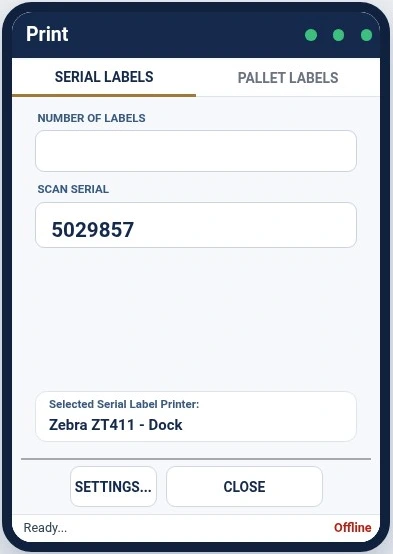
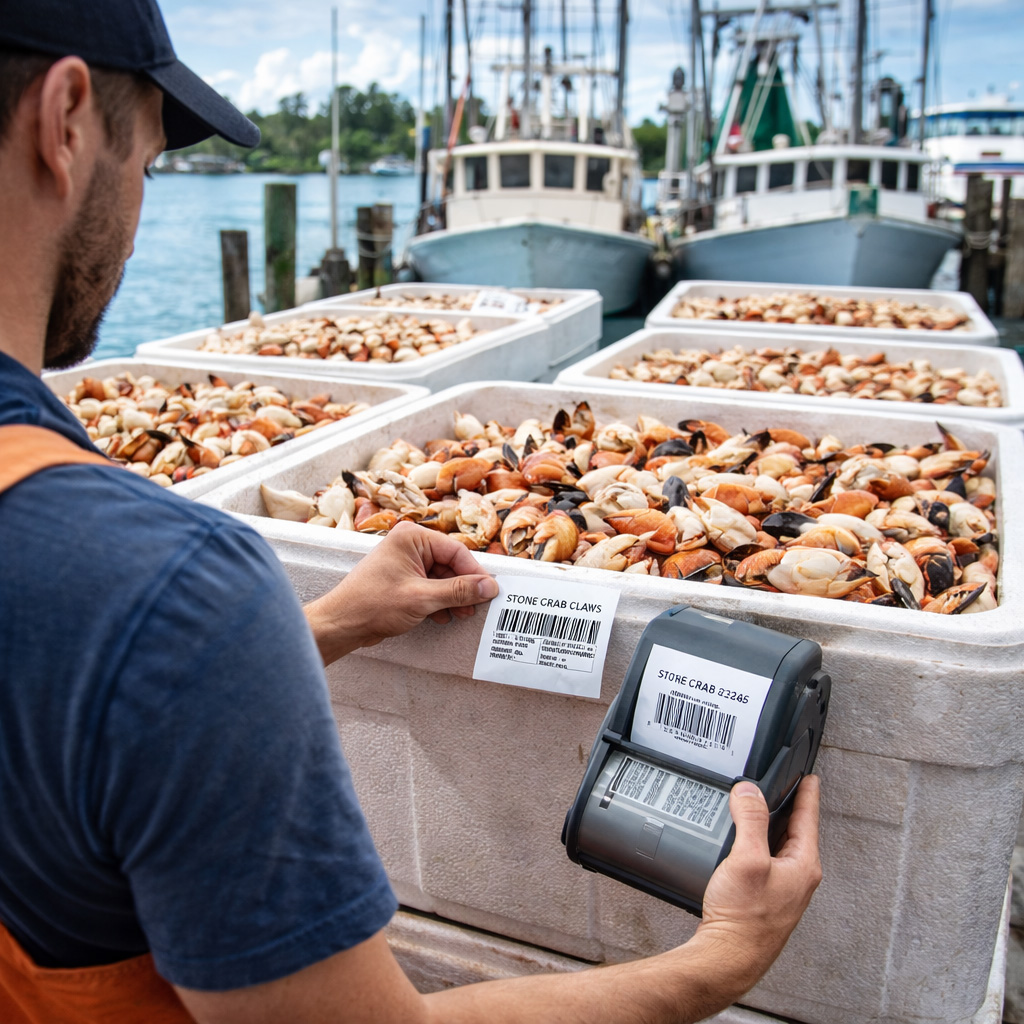
Printing a case label on the dock
One lot record
Production creates it
Logistics moves it
Core holds its history
The result: Lot Intelligence™
Every module writes to the same record
How it fits together

Three modules, one lot record, one result

Clean, because data is captured once at the source. Connected, because Production, Logistics and Core all write to the same record. Recall- and audit-ready, because the history is already built. Lot Intelligence™ is what you get from it.

ProductionUnit, lot, weightCreated at the station with a unique serial number.
LogisticsLocation, pallet, orderAdded with every scan in the warehouse.
CoreGenealogy and documentsLots linked, traces and manifests ready.
Lot Intelligence™Yield, variance, KPIsThe result: business data from the whole chain.
01
Label it

LOT AXIS Production

Creates the lot record and a unique serial number for every unit. Each unit is weighed, coded and labeled at the station, so the record starts the moment the product does.

Runs on: Production Stations on the line

What it does

  1. Pick the productOn the touchscreen. Products are built from properties you set up, such as species, grade and size.
  2. Capture source lotsFrom a work order (production label), individual raw-material boxes or complete pallets. They link to every label printed.
  3. Weigh itThe weight comes straight from the scale.
  4. Print the labelLOT AXIS calculates the lot code, assigns the unique serial number and prints the label.
  5. PalletizeScan cases onto a pallet and print the pallet label.

What you get

  • Lot codes calculated, never typedPTI for produce, GS1 for meat and seafood, or your own prefix plus Julian date.
  • Built for the floorBig buttons for gloves and wet floors.
  • Up to 3 label printers and 1 scale per stationWith label formats you control.
  • Void and reprintFix a mistake by voiding the unit and printing a new label, so the record stays clean.
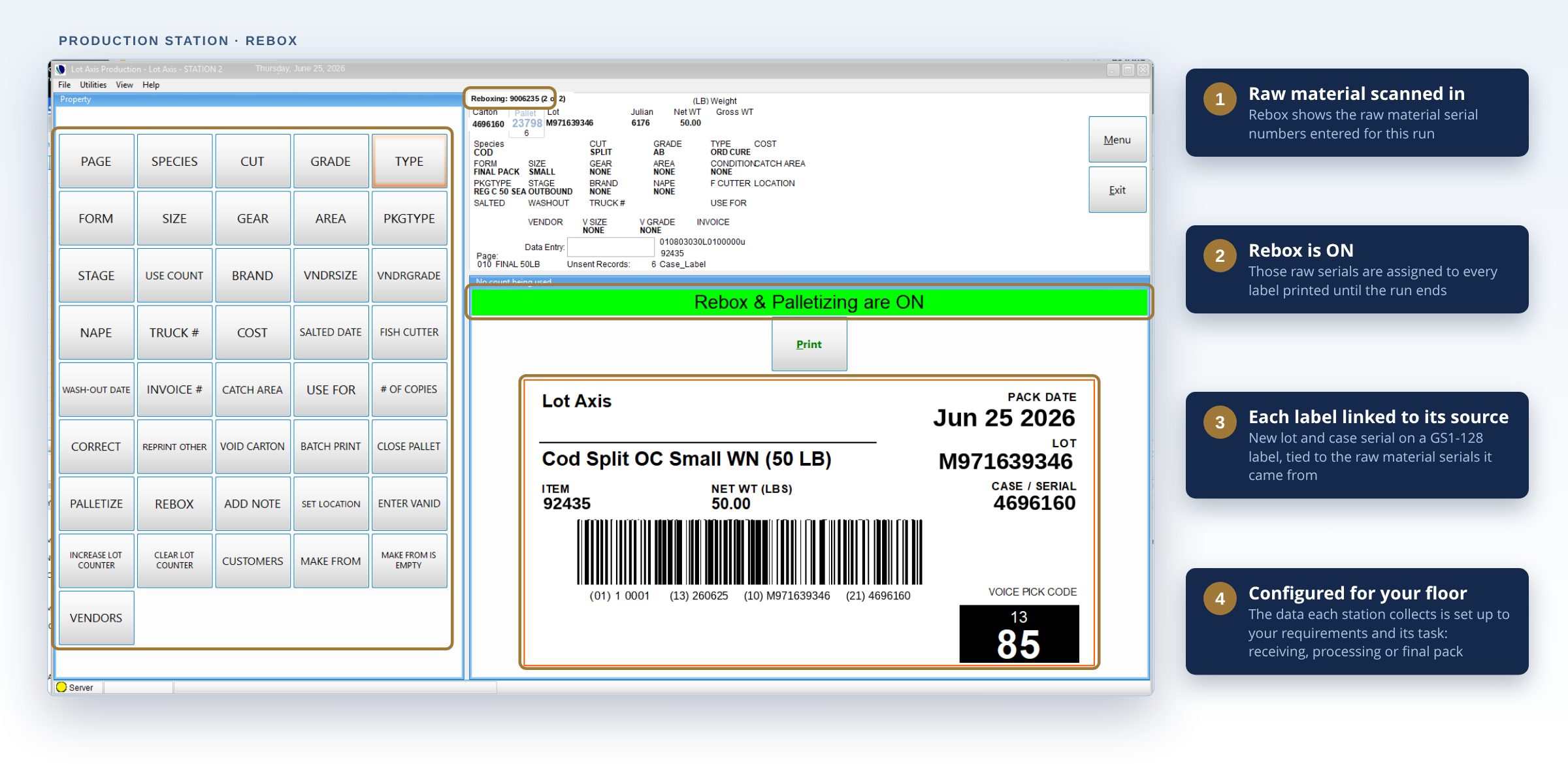
LOT AXIS Production station with Processing (Rebox) on: raw material serials linked to every case label printed; data buttons configured per customer and station task; GS1-128 case label with lot and serial
The Production station: data buttons set up for each station's task, and with Processing (Rebox) on, the raw material serials scanned in are linked to every label printed.Click to enlarge
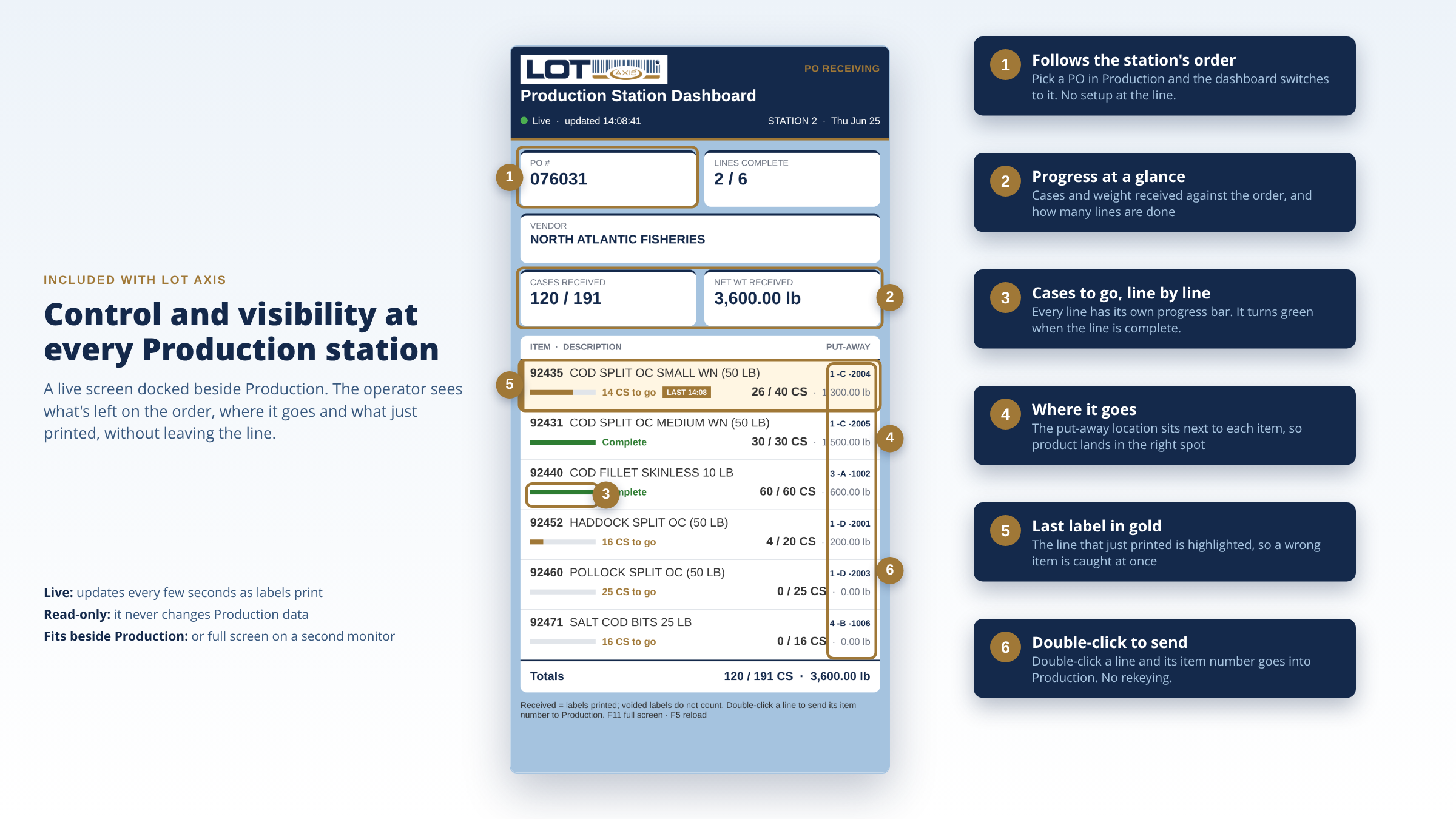
LOT AXIS Production Station Dashboard, how it works: follows the station's PO, shows cases and weight received, cases to go line by line, put-away location, last label in gold, and double-click to send the item number to Production (sample data)
Production Station Dashboard: included with every LOT AXIS install (an add-on for legacy SIMBA users). Control and visibility at every Production station. Docked beside Production, it follows the order being worked: cases to go on every line, where each item is put away, and the last label in gold.Click to enlarge
02
Track it

LOT AXIS Logistics

Moves what Production made. Every unit carries its own serial and unit of measure, and every scan updates its location or order straight away, so inventory is a live count, not a weekly guess.

Runs on: Android handhelds in the warehouse

What it does

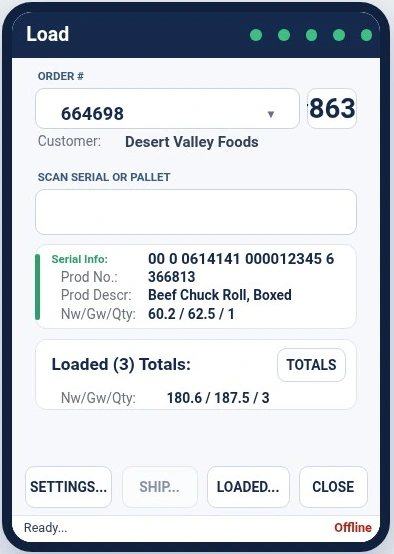
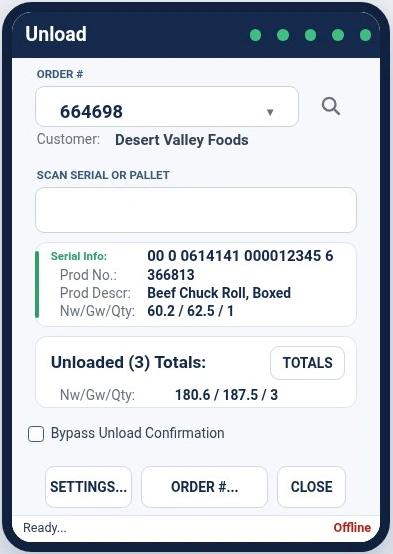
  1. Load / UnloadScan units and pallets onto an order, review what is loaded, then ship and close it. Unload takes product back off.
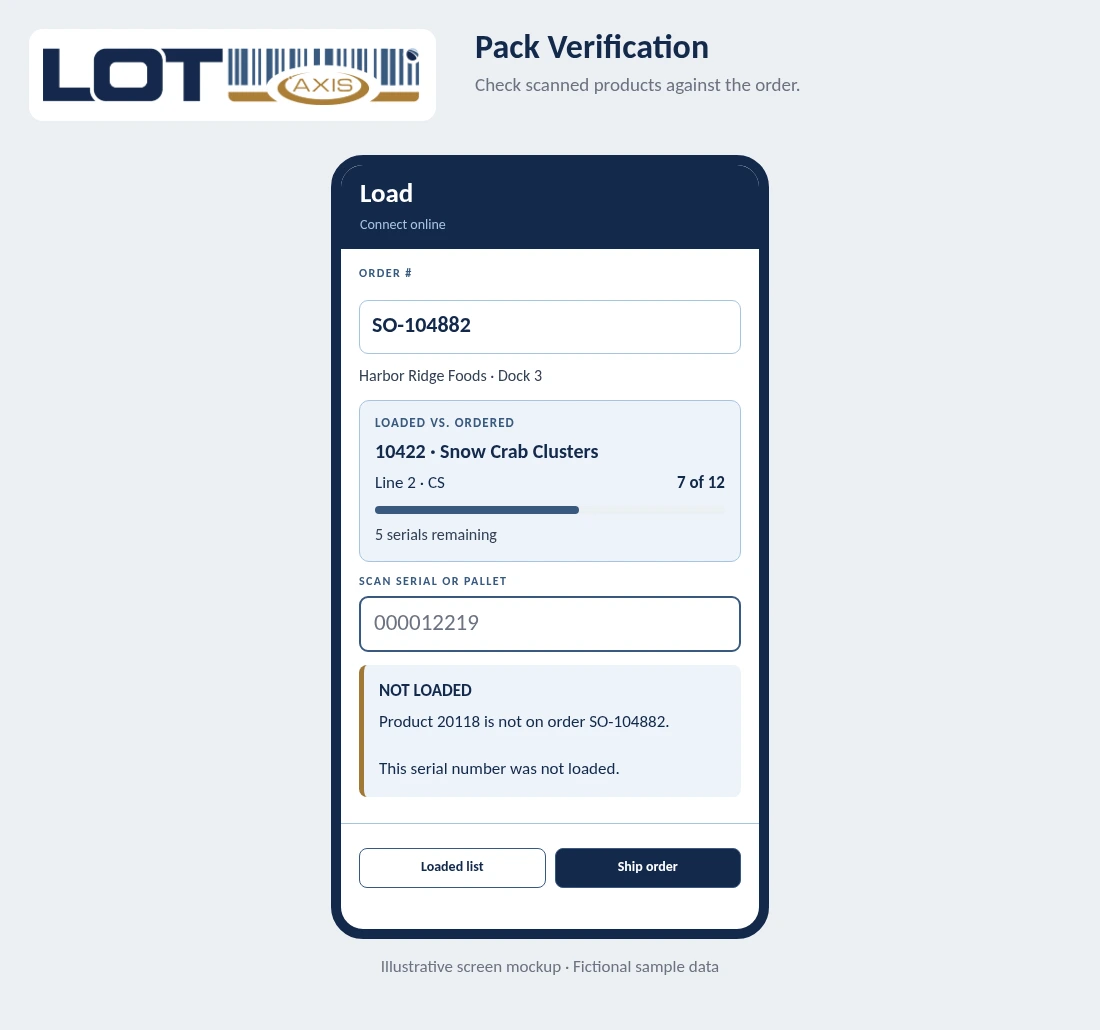
  2. Pack VerificationCheck scanned serial numbers and pallets against the order's product lines. Reject products that are not on the order and quantities above the order limit; overweight items on pound-based lines prompt for an operator override.
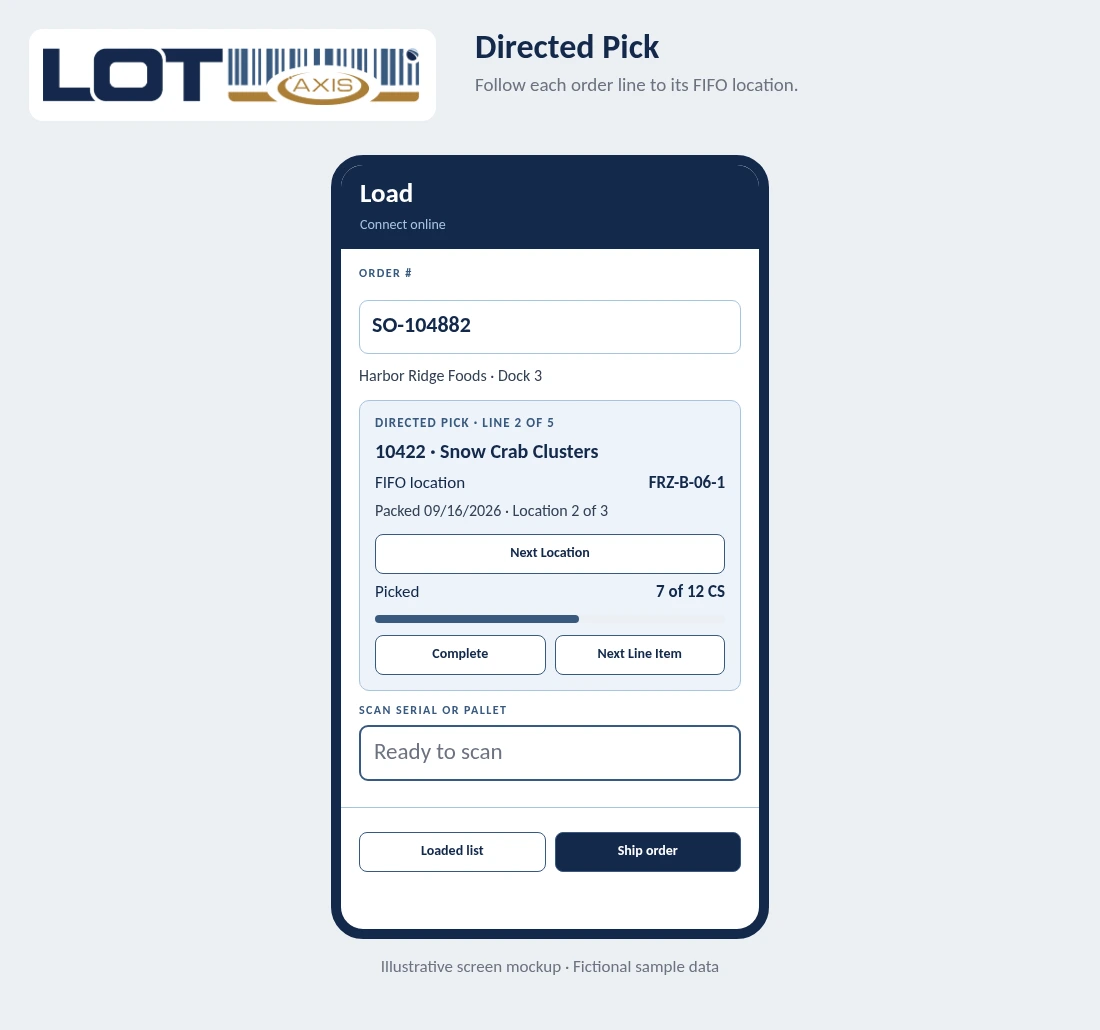
  3. Directed PickGuide Load and Palletize one sales-order line at a time, with FIFO locations, picked-versus-ordered progress, and controls to move to the next location or line.
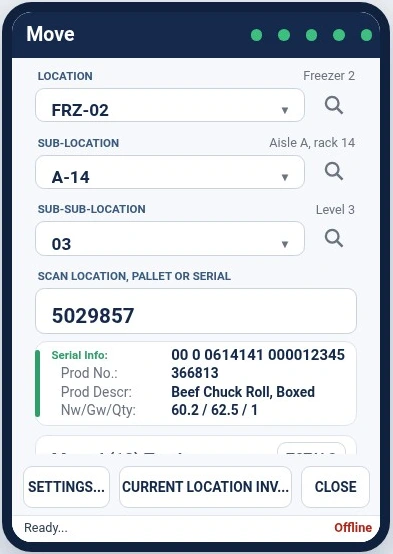
  4. MoveScan a unit or pallet and the location it is going to.
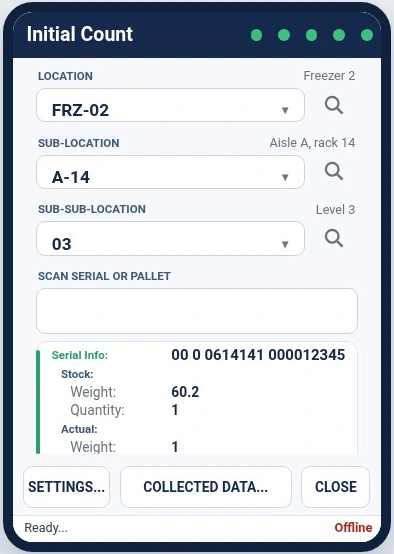
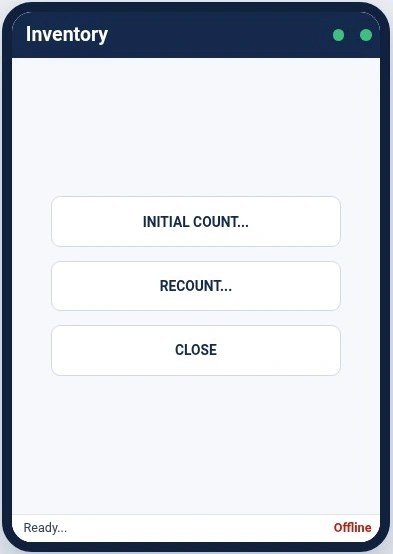
  5. InventoryCount a location by scanning it, then run a recount to check the first pass.
  6. PalletizeBuild pallets in the cooler or on the dock.
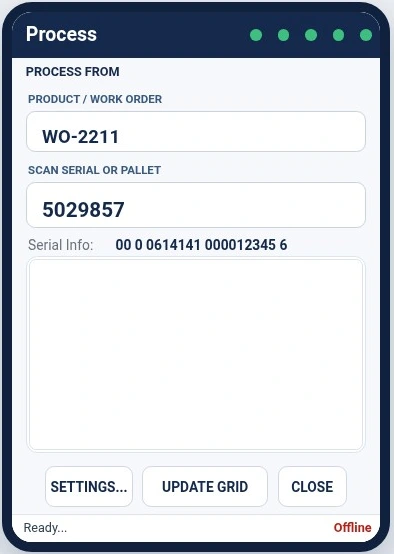
  7. Process (Rebox) Raw MaterialsEnter a work order, or scan individual boxes or complete pallets.

What you get

  • Live inventory by lot and locationWhat is on hand, where, right now.
  • Shipping accuracyEvery unit is scanned onto its order, so the load list matches what is on the truck.
  • Counts you can checkThe count and the recount are kept separately, so they can be compared with what the system expects.
  • Every move recordedEach move is written to the lot record as it happens.
LOT AXIS Logistics on an Android handheld: Load, Move, Unload, Initial Count, Inventory, Process and Print. Rendered previews with sample data. Select a screen to enlarge.

Pack Verification

Check what is being loaded against what the order calls for. Scan a serial number or a pallet, and LOT AXIS checks the product and quantity against the order lines before loading it. Products that are not on the order are rejected. The Load screen shows loaded-versus-ordered progress for the scanned product.

Illustrative Pack Verification screen: product not on the order is rejected, with 7 of 12 cases loaded. Fictional sample data.
Pack Verification: an item that is not on the order is not loaded. Illustrative screen mockup with fictional sample data. Select to enlarge.

Directed Pick

Give the operator a clear next pick in Load and Palletize. Each sales-order line shows its product, FIFO location based on the oldest pack date, and picked-versus-ordered quantity. Move to the next location as needed. When the line is complete, the operator chooses the next line item.

Illustrative Directed Pick screen: sales-order line, FIFO location, picked quantity, Next Location and Next Line Item. Fictional sample data.
Directed Pick: the next product, FIFO location and line progress in one view. Illustrative screen mockup with fictional sample data. Select to enlarge.

Order-line features require ERP-enabled order data. Directed Pick is part of the v4 Logistics line.

03
Trace it

LOT AXIS Core

The system of record. Core defines the products, labels, locations, customers and orders, and holds the full lot history, so a trace takes minutes instead of days.

Runs on: The office PC: Traceability and Recall Readiness

What it does

  1. Set up the operationProducts, label formats, locations, customers and orders, sent to the stations.
  2. Back Trace and Forward TraceFrom any lot: where it came from and where it went.
  3. Lot reportEvery linked lot, with quantities in and out at each stage.
  4. Shipping documentsBill of lading and a case-level manifest for each load.
  5. Void or recall unitsPull a batch of units in one step.

What you get

  • Lot genealogyInbound lots, processing lots and finished goods, each new lot linked to the ones it came from.
  • Recall readyThe affected lots, the customers and what is still on hand, from one trace.
  • Reports on demandPrint or share the trace report for auditors, customers or the FDA.
  • Runs on-premiseYour lot history lives on your own servers.
Audit trail

Every transaction is date- and time-stamped and tagged with the device it came from. Every change is saved in history. Nothing is ever lost.

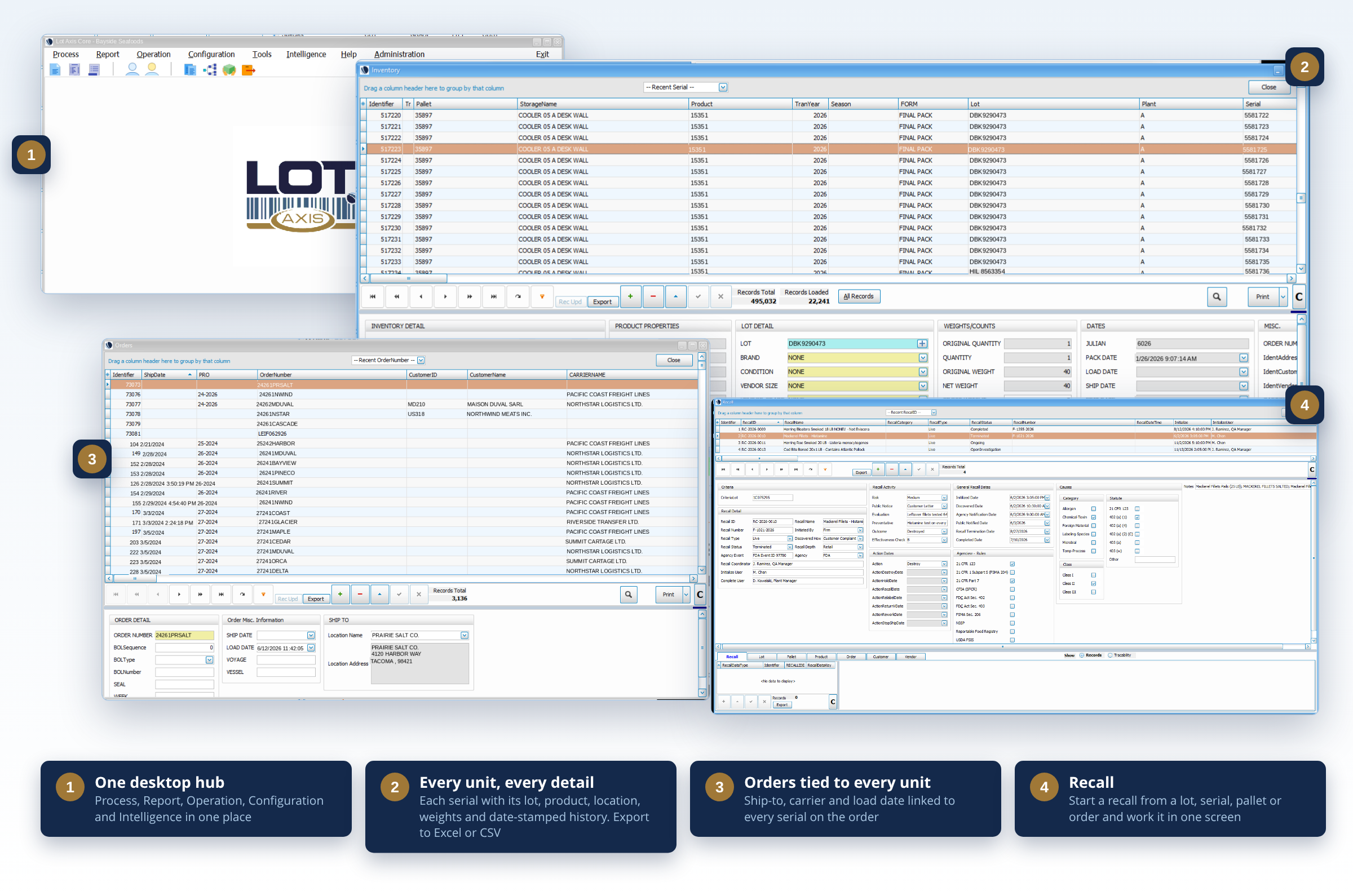
LOT AXIS Core desktop: main screen, inventory, orders and the Recall window
LOT AXIS Core on the desktop: every unit with its lot, location and date-stamped history, orders tied to every serial, and the Recall window.Click to enlarge
04
Control it

Lot Intelligence™

Lot Intelligence™ is the full outcome of the data collected: it gives owners and managers their decision-making tools. Because Production, Logistics and Core all write to one lot record, the numbers that run the plant come from scans you already made. You see them while the shift is running, not at month end.

Delivers: the Manager Dashboard, the Plant Floor Dashboard and standard reports

What it does

  1. Delivers the Manager DashboardThe plant's key numbers on one screen, with the records behind every tile.
  2. Puts the floor on the TVThe Plant Floor Dashboard shows every station, order and scanner live.
  3. Standard reportsFor owners, QA and the plant floor. See the list
  4. Print or sharePrint any report or share it with the people who need it.

What you get

  • Decisions from real numbersWeights and counts, not estimates.
  • One version of the truthOffice and floor read the same record.
  • Answers in minutesNo waiting days for a spreadsheet.
  • Proactive, not reactiveSee a problem while it is still small, such as stock near its date, a station gone quiet or a count that does not match, before it becomes a recall or an audit finding.
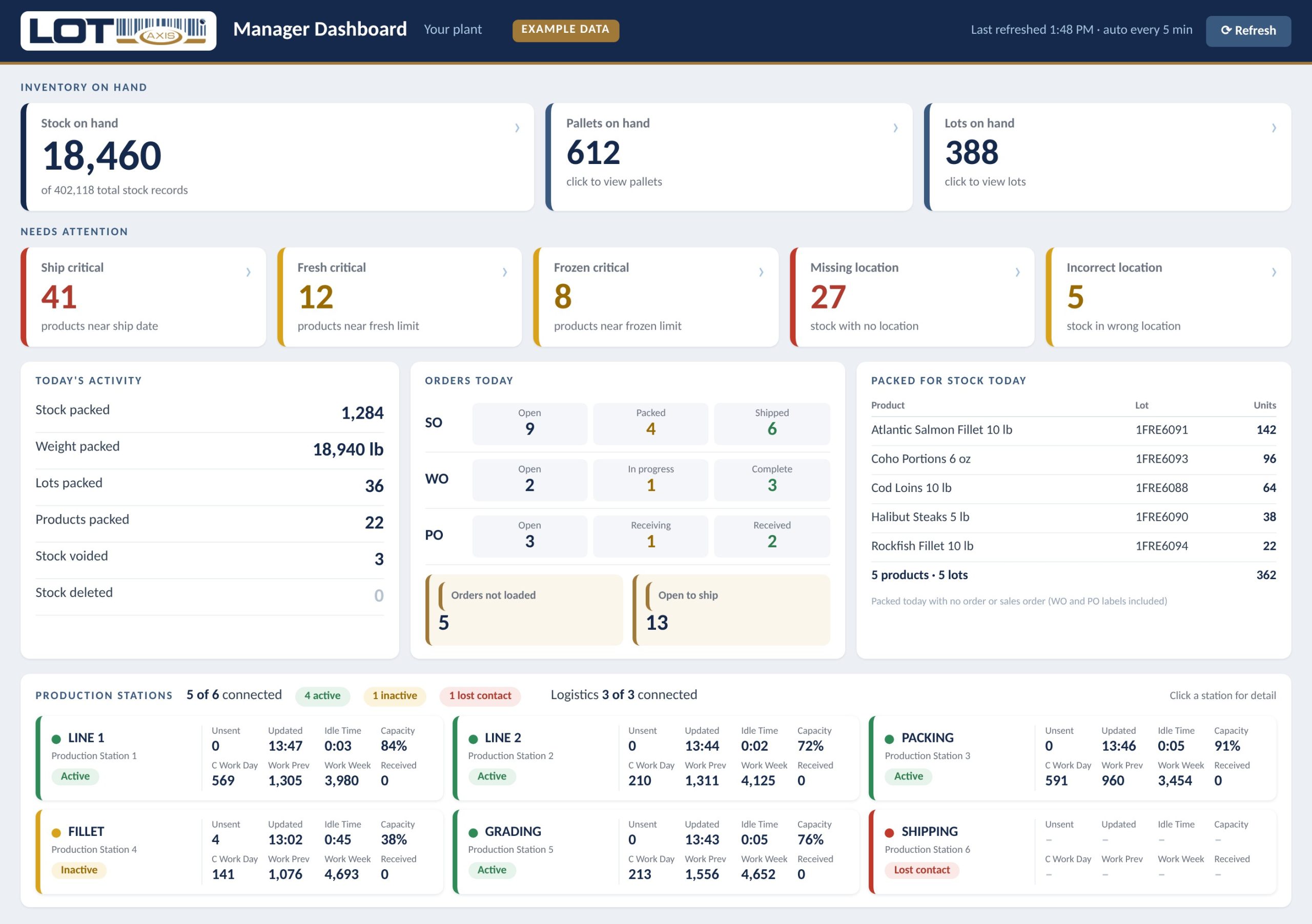
LOT AXIS Manager Dashboard with example data: inventory on hand, needs attention, today's activity, orders today, packed for stock and production station statusComing soonExample data

Manager Dashboard, coming soon. Example data. Click to enlarge

Delivered by Lot Intelligence™

The Manager DashboardComing soon

Lot Intelligence™ delivers the Manager Dashboard: the whole plant on one screen, read from the same lot record that Production, Logistics and Core write to, so managers see the floor without walking it.

  • Inventory on handStock, pallets and lots on hand.
  • Needs attentionProduct near its ship date or fresh and frozen limits, stock with no location or in the wrong location.
  • Today's activity and ordersStock, weight, lots and products packed. Sales, work and purchase orders by stage, orders not loaded and orders open to ship.
  • Packed for stockWhat was packed today without an order, by product and lot.
  • Production stationsWhich stations are active, inactive or out of contact, with idle time, capacity and work by day and week. Logistics scanners too.
  • Open the detailOpen a tile to see the records behind the number.
For plants with several stations

The Plant Floor DashboardComing soon

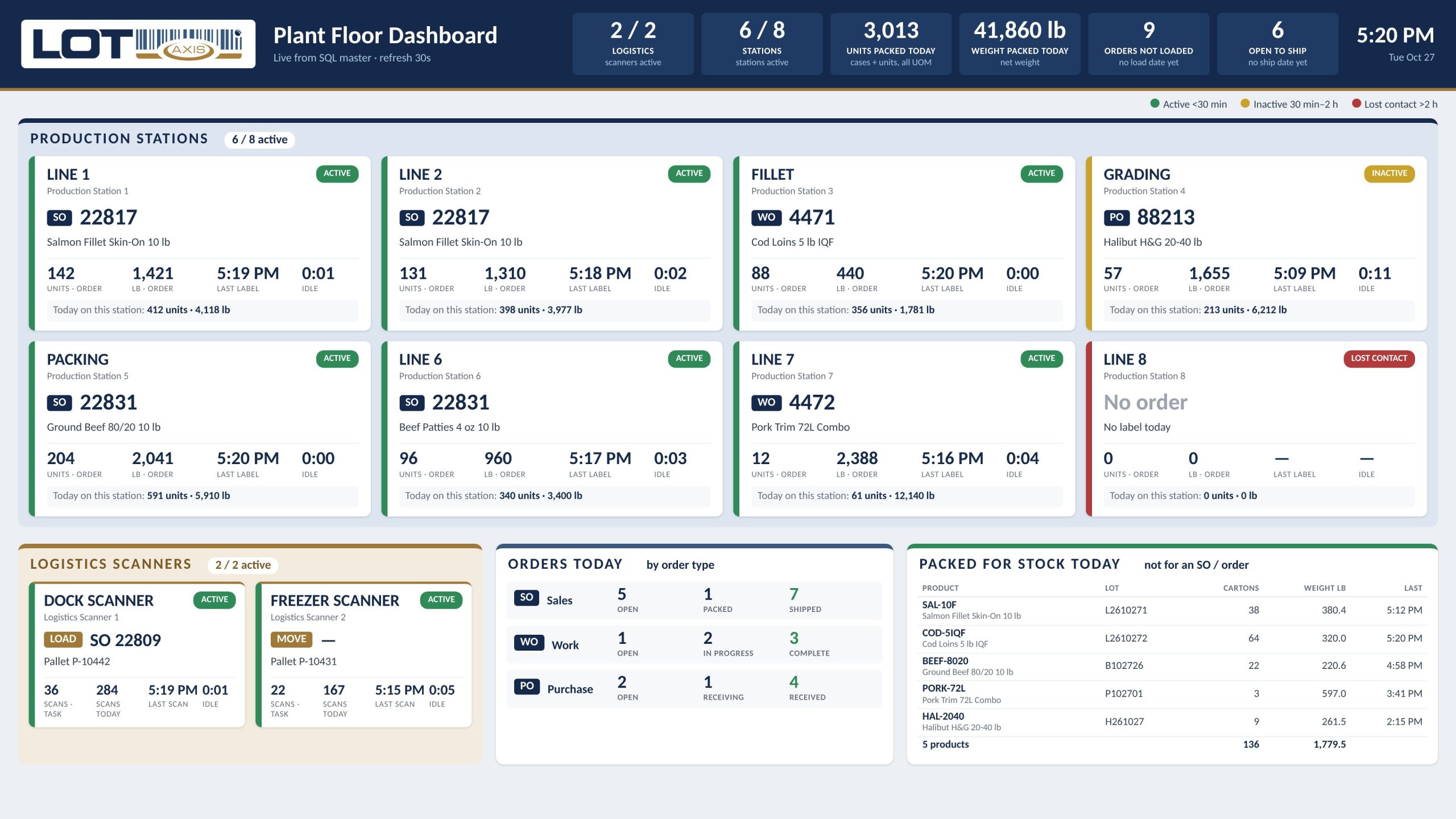
A live screen for the TV on the plant floor, fed from the SQL master database. Managers see what is going on, and the crew sees what is left to do.

  • Every Production stationThe order on each line, units and pounds packed for it, the last label and idle time.
  • Status at a glanceEach station and Logistics scanner shows Active, Inactive or Lost contact.
  • Orders todaySales orders open, packed and shipped. Work and purchase orders by stage. Orders not loaded and open to ship.
  • Packed for stockWhat was packed today without an order, by product and lot.
LOT AXIS Plant Floor Dashboard on a TV wall screen with example data: production station cards, logistics scanners, orders today by type and packed for stockComing soonExample data

Plant Floor Dashboard on the plant TV, coming soon. Example data. Click to enlarge

ProductionYield by lot and productFrom what went in and what came out at each stage.
ProductionWork by stationWhat each Production Station packed today, yesterday and this week.
ProductionVarianceWhat went in compared with what was packed.
InventoryStock by lot, location and ageFor FIFO and FEFO rotation, so the right stock ships first.
SalesOrders and shipmentsLine-item order status, what is loaded and what has shipped.
QualityRecall exposureWhich lots went to which customers, ready before anyone asks.
Reporting

Standard reports, included

The reports owners, QA and the plant floor ask for, built in and read from the same lot record. Print or share any report.

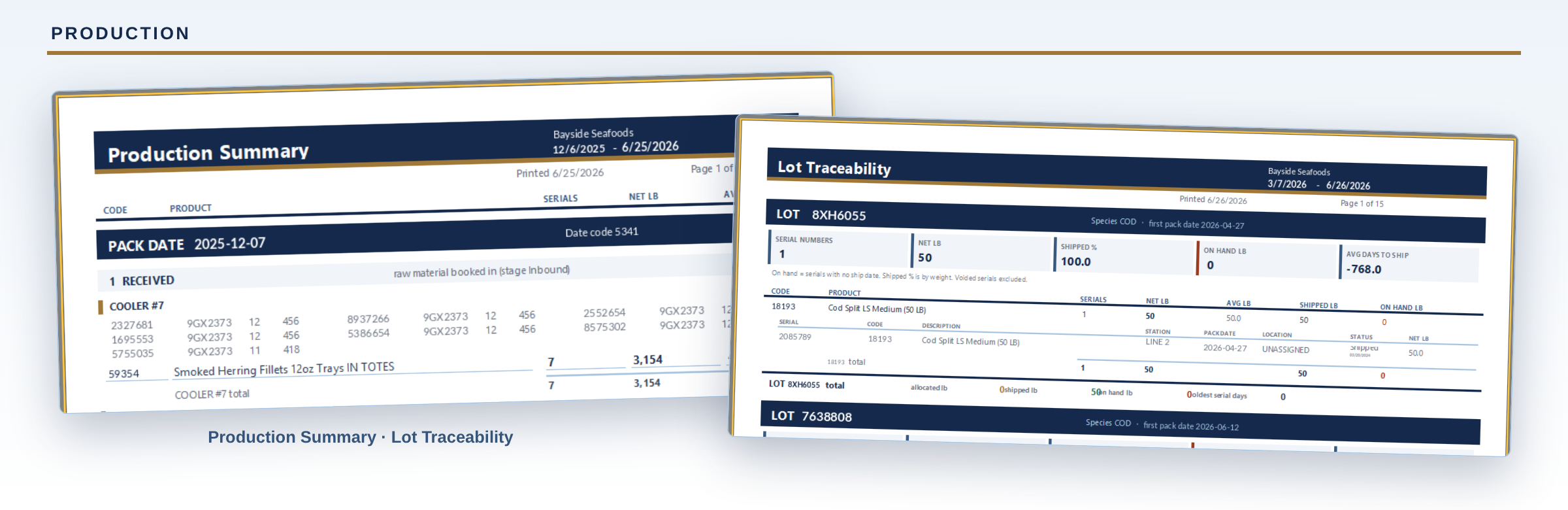
LOT AXIS Production standard reports with sample data
  • Production Summary
  • Manual Inventory Count Sheet
  • Lot Detail
  • Pallet Detail
  • Product List with Barcodes
  • Voided Serials
  • Multi-Lot Serials
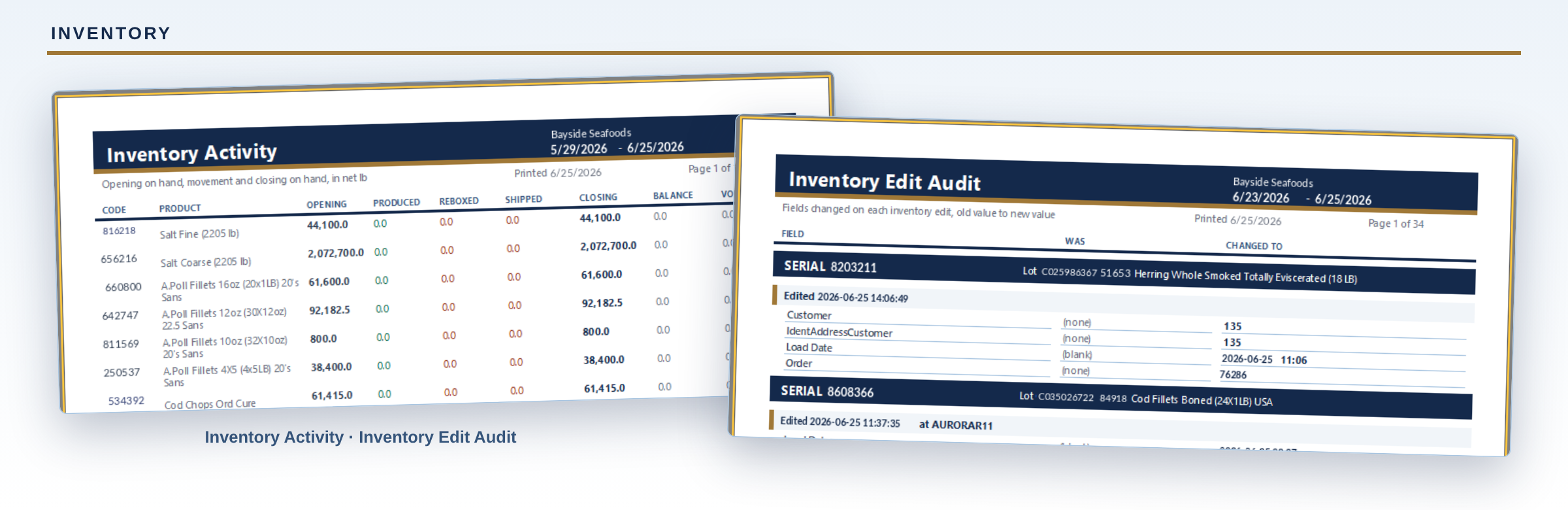
LOT AXIS Inventory standard reports with sample data
  • Inventory Activity
  • Inventory Aging
  • Inventory by Location
  • Location Barcodes
  • Inventory Discrepancy
  • Inventory Edit Audit
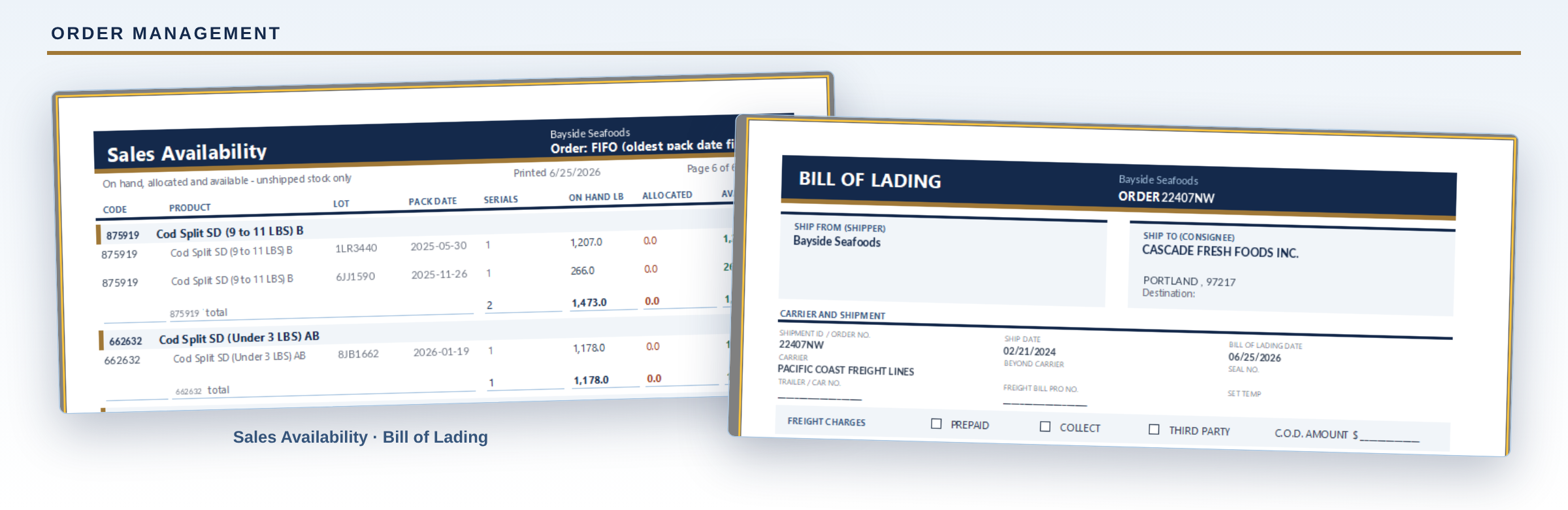
LOT AXIS Order Management standard reports with sample data
  • FIFO Compliance
  • Sales Availability
  • Customer Sales History
  • Order Recap
  • Purchase Orders
  • Work Orders
  • Transfer Orders
  • Sales Orders
  • Directed Pick Reports
  • Bills of Lading (unlimited variations)
  • Packing Lists (unlimited variations)
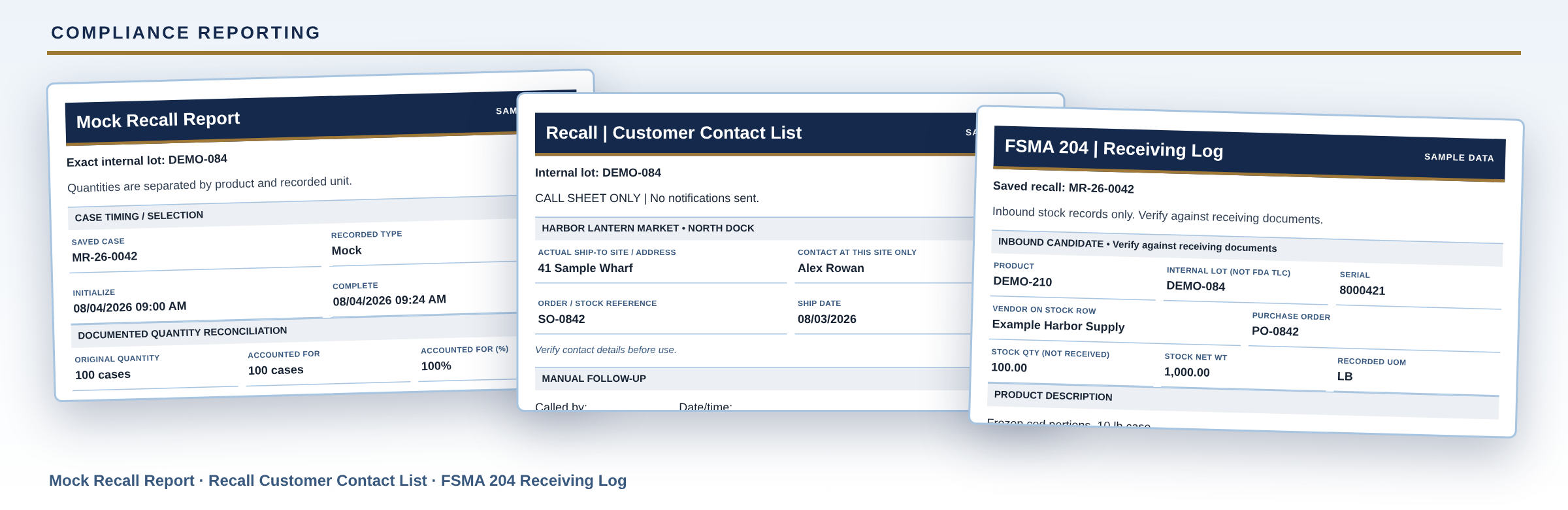
Compliance Reporting: sample Mock Recall Report, Recall Customer Contact List, and FSMA 204 Receiving Log.
  • Mock Recall Report
  • Recall Customer Contact List
  • Annual Recall Simulation Record
  • Lot Traceability with Mass Balance
  • FSMA 204 Traceability
  • FSMA 204 Receiving Log
  • FSMA 204 TLC Source Report
  • FSMA 204 Event Review
  • FSMA 204 CSV Exports
  • SIMP Harvest Data by Lot
  • SIMP Import Entry Packet
  • Missing SIMP Data (Data Hygiene Exceptions)
  • CFIA 24h Traceability
  • Record Retention Review
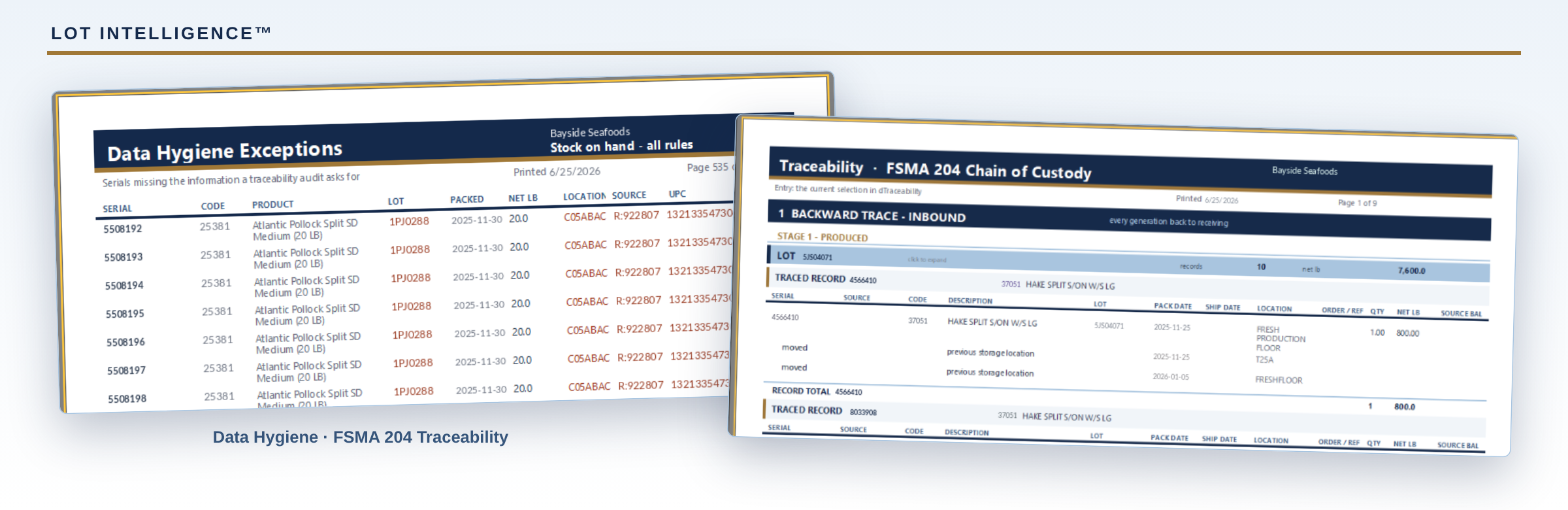
LOT AXIS Lot Intelligence™ standard reports with sample data
  • Data Hygiene Exceptions
  • Yield Report
  • Traceability Reports

Sample report pages with sample data. Click any image to enlarge.

Standard reports, included. Print or share any report. Raw data in every screen exports to Excel or CSV with the Export button on Inventory, Orders and other screens.
Watch

See it on the floor

A short animated overview of how the system labels, tracks and traces product through a food plant. SIMBA is now LOT AXIS: same software, same team.

Go deeper

More on the software

How a trace works

From any lot to a full report: back trace, forward trace and the report.

How a trace works

Integrations

Scales, label printers, QuickBooks, NetSuite, NetYield and Excel. How the data gets where it needs to go.

Integrations

Clean, connected, recall- and audit-ready

That is the job of the LOT AXIS ecosystem. Book a 30-minute demo, bring a real lot from your plant, and we'll show you how LOT AXIS would follow it.

Scroll to Top